
November 5, 2026/
Building a practical workflow for the Ross Automated Solutions website, one unpublished draft at a time. Why I’m Exploring This...
A spreadsheet can be the easiest place for a team to maintain a service roster, catalog, or reference list. Sharing that same workbook can make a simple lookup harder than it needs to be. Readers have to find the right tab and column, and each emailed copy can outlive the data it contains. The workbook may also include notes or status fields that only the team maintaining it needs to see.
Ross Automated Solutions built Spreadsheet-to-Web to give structured spreadsheet data a browser-based view. The completed V1 takes approved data from an Excel workbook or CSV file and turns it into a standalone website people can search, filter, and sort.
Consider a facilities team that keeps a regional service-partner roster in Excel. A reader might want to find an HVAC partner, narrow the list to the North region, or check a partner’s response target on a phone. The example below uses four fictional partners to show how the same source can serve those tasks.
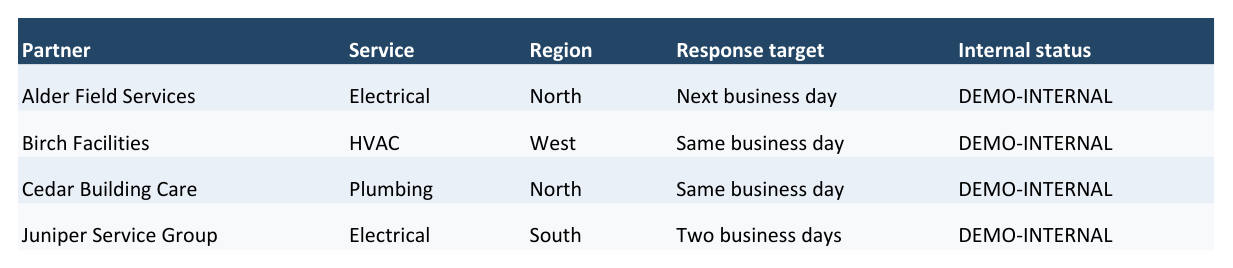
The source workbook includes a fictional Internal status column. The generated site uses the four fields approved for readers.
The workflow starts with a structured CSV or a single-sheet, values-only XLSX file. Spreadsheet-to-Web checks the tabular structure and normalizes the data for presentation. An operator approves which fields the export may expose, then chooses the layout and configures which fields readers can search, filter, or sort. In this example, readers can search partner names and services, filter by region, and sort by partner or region.
The exporter builds the website from those approved fields. The source workbook and the unselected Internal status column stay out of the generated files.
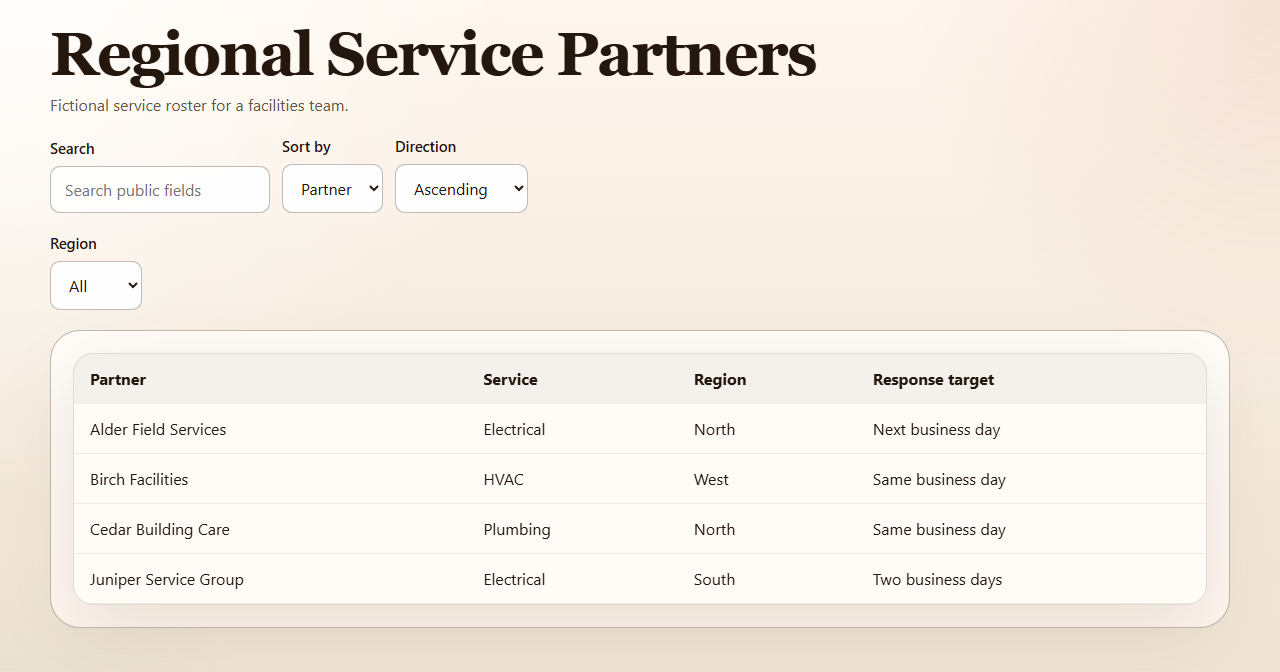
Table view keeps information in rows and columns. It works well when a reader wants to scan the response-target column and compare several partners at once.
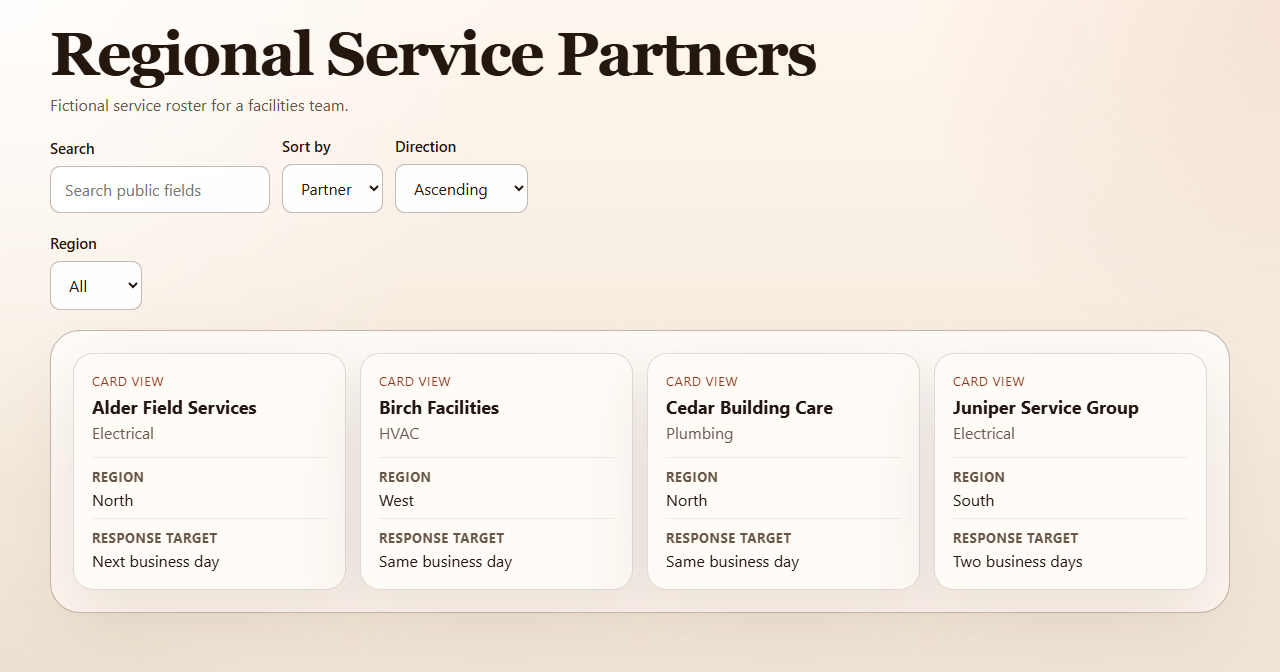
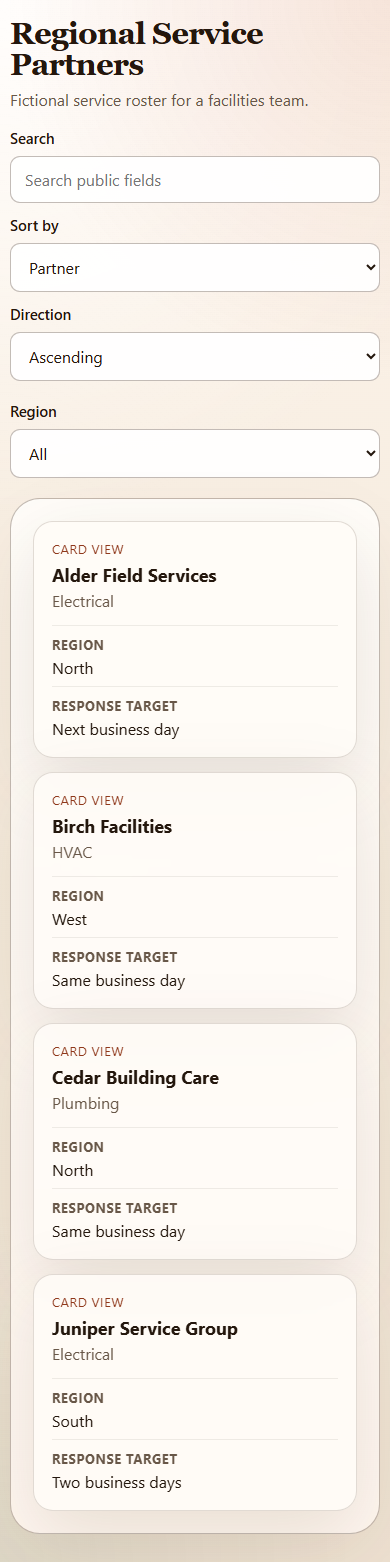
Cards give each record its own space, with the partner name and service up front. A reader can browse the roster by provider and see the region and response target together.
Directory uses a stacked list with a clear name and service on each entry. It suits a reference page where readers often arrive looking for a specific provider.
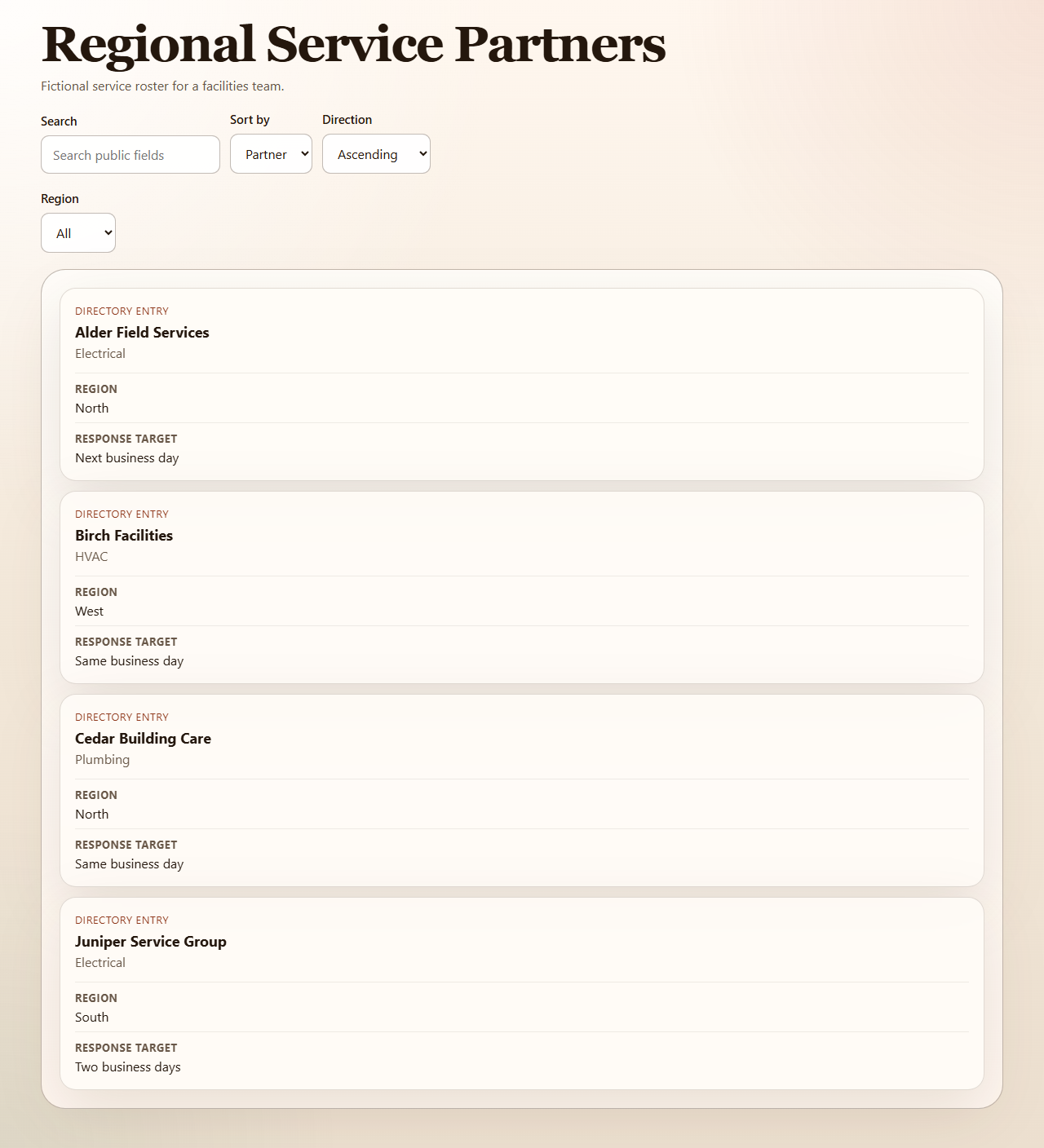
On a phone, Cards stack in a single column, with the search, filter, and sort controls above the results.
The exporter reuses the application’s presentation engine and browser controls. It packages the approved data with HTML, CSS, and JavaScript, so the resulting website runs without a Next.js server or a database. Each export produces a versioned release package with an integrity manifest that can be used to check the delivered files.
V1 passed independent technical verification. On November 12, 2026, the project owner accepted the functional and visual baseline after comparing the generated views with the source workbook in native Excel. That review covered data fidelity, including identifiers with leading zeros, as well as search, filtering, sorting, and desktop and mobile layouts. Package checks separately confirmed that a synthetic private field was excluded from the export.
The V1 engineering work is complete, including generation of a verified static release. Customer deployment remains a separate workflow: hosting setup, installation, and repeat updates still need validation with a customer operator, including how they confirm a new release is live and restore the previous one.